
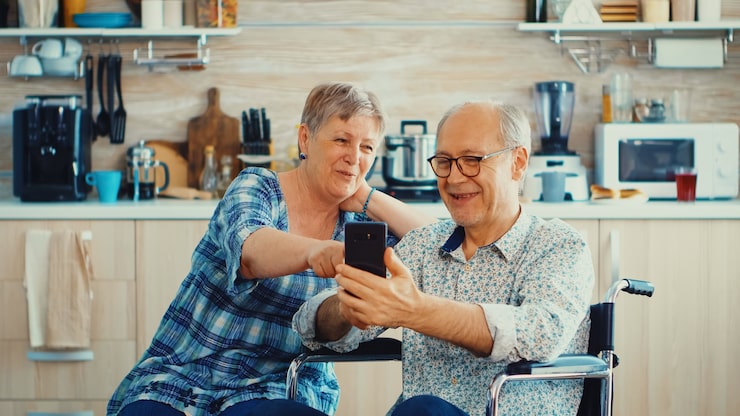
Buying phones for the elderly involves a different set of priorities to buying a phone for yourself. Screen size, button clarity, sound quality and ease of use matter far more than processing power or camera resolution. This guide walks through the main options available in the UK and how to choose between them.
Understand the person’s needs first
Before comparing handsets, think about what the phone actually needs to do. Is it purely for calls and texts, or will they want to use WhatsApp, video call grandchildren, or browse the internet? Do they have any visual or hearing impairment, arthritis, or memory difficulties that would make a touchscreen frustrating? Answering these questions narrows the choice considerably and prevents buying a phone that is either too complicated or too limited.
Classic big button phones
For elderly users who mainly need to make and receive calls, a classic keypad phone such as the Doro 2820, Doro 6900 or TTfone Lark is usually the best fit. These phones have large, well-spaced buttons, a bright and simple display, and a dedicated SOS button that can alert emergency contacts at the press of a single key. Battery life on these devices is typically excellent, often lasting several days between charges.
Simplified smartphones
If the person wants to use apps like WhatsApp or view photos sent by family, a simplified smartphone is a good middle ground. The Doro 8100 and Doro 8200 run a stripped-down Android interface with large tiles instead of small icons. Alternatively, a mainstream Android phone from Samsung or Motorola can be switched into an ‘Easy Mode’ or ‘Simple Mode’, which enlarges text and icons and removes clutter from the home screen, while still allowing access to the full range of apps when needed.
Hearing and vision considerations
Hearing aid compatibility, often shown as an HAC rating, is worth checking, as is the availability of a physical headphone jack for wired headsets or hearing loop connections. For vision, look for phones with adjustable text size, high contrast display modes, and voice assistants that can read out messages or notifications aloud.
Safety features that matter
Falls and medical emergencies are a genuine concern for many elderly users, so an SOS or emergency button that automatically dials a chosen contact and sends a text with GPS location can provide real peace of mind for the whole family. Some models also support fall detection or check-in reminders through companion apps.
Choosing a UK network and contract
Because most elderly users are light data users, a basic SIM-only plan or pay-as-you-go tariff is usually enough, and many UK networks such as EE, O2, Vodafone, Three and smaller providers like Lebara or giffgaff offer inexpensive plans well suited to occasional callers. Buying the handset SIM-free and pairing it with a cheap SIM often works out cheaper overall than a bundled contract.
Setting the phone up for success
Once a phone has been chosen, spend some time setting it up properly rather than handing it over straight out of the box. Save close family members as speed-dial or favourite contacts, increase text size and volume to a comfortable level, and write down or print a simple one-page guide covering how to answer calls, check messages and use the SOS button. A small amount of setup time at the beginning makes an enormous difference to how confidently an elderly user adopts a new phone.
It is also worth reviewing the phone together every few weeks initially, checking that contacts are still correct, the battery is charging properly, and that the person feels comfortable using it. Small, regular check-ins tend to build confidence far more effectively than a single lengthy explanation given only once when the phone is first handed over.
Final recommendation
For most elderly users, a dedicated senior phone from Doro or TTfone offers the best balance of simplicity, safety and value. Those who want to stay connected through apps and video calls should consider a simplified Android smartphone instead. Either way, involving the person in the decision and letting them physically try the phone before buying leads to far better long-term results than choosing on their behalf.